Password Recovery
One of the most frequent questions we deal with is: "I am a new owner of the website and how do I get the password when I don't have access to the emails used in the registration" or "I don't remember which email is registered". Now this situation can be solved easily.
The password reset form contains another form. It shows an address on your website where we will wait for a verification key. It will probably be a page that does not exist yet. So there is no need to interfere with the current website — it is enough to create this new page. It does not have to be a full page (it can be without any design); a plain text file is enough.
Then just let it check that the page contains the key. And if it does, we allow the password to be changed.
Concrete example:
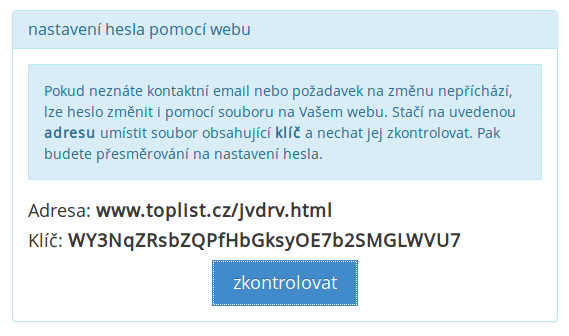
For TOPlist the password reset is at https://www.toplist.eu/password/reset/. After pressing the button it prints the required address (every visitor sees a different one). For our example it may be, e.g.: www.toplist.eu/jvdrv.html. And also the key WY3NqZRsbZQPfHbGksyOE7b2SMGLWVU7. So it is enough to create a file at the required address. And after it is checked, the password can be changed.